
How to Dismiss showDialog in Flutter
Restored from an archived FlutterDocs resource. Code examples and APIs may refer to earlier Flutter/Dart SDK versions.
In this example, we are going to show you how to close showDialog from the same code block or close from the external code block from anywhere in Flutter. Dialogs are very important components for Flutter to show different kinds of messages and confirmations.
How to dismiss showDialog from the same code block:
Navigator.pop(context);For example:
showDialog(
    context: context,
    builder: (context) {
      return AlertDialog(
        title: Text(' Alert Dialog'),
        content: Text('Do you really want to delete?'),
        actions: <Widget>[
          TextButton(
              onPressed: () {
                    //action code for "Yes" button
              },
              child: Text('Yes')),
          TextButton(
            onPressed: () {
                Navigator.pop(context); //close Dialog
            },
            child: Text('Close'),
          ),
        ],
      );
});
How to Dismiss showDialog from External Code Block:
BuildContext? dcontext; //variable for dialog contextshowDialog(context: context, builder: (context) {
dcontext = context;
return AlertDialog(
);
});Now dismiss this dialog from anywhere of a code block:
if(dcontext != null){
    Navigator.pop(dcontext!);
}
An example is given below:
Full App Example:
import 'package:flutter/material.dart';

void main(){
  runApp(MyApp());
}

class MyApp extends StatelessWidget{
  @override
  Widget build(BuildContext context) {
    return MaterialApp(
      theme: ThemeData(
        useMaterial3: false
      ),
      home: Home(),
    );
  }
}

class Home extends StatefulWidget{
  @override
  _HomeState createState() => _HomeState();
}

class _HomeState extends State<Home> {

  BuildContext? dcontext;

  dismissDailog(){
     if(dcontext != null){
         Navigator.pop(dcontext!);
     }
  }

  @override
  Widget build(BuildContext context) {
    return  Scaffold(
          appBar: AppBar(
            title: Text("Dismiss showDialog"),
            backgroundColor: Colors.redAccent
          ),
          body: Container(
            padding: EdgeInsets.only(top:20, left:20, right:20),
            alignment: Alignment.topCenter,
            child: Column(
              children: [

                 ElevatedButton(
                  onPressed: () async {
                      showDialog(
                            context: context,
                            builder: (context) {
                              dcontext = context;
                              return AlertDialog(
                                title: Text(' Alert Dialog'),
                                content: Text('Do you really want to delete?'),
                                actions: <Widget>[
                                  TextButton(
                                      onPressed: () {
                                           //action code for "Yes" button
                                      },
                                      child: Text('Yes')),
                                  TextButton(
                                    onPressed: () {
                                       Navigator.pop(context); //close Dialog
                                    },
                                    child: Text('Close One'),
                                  ),

                                  TextButton(
                                    onPressed: () {
                                       Navigator.pop(context); //close Dialog
                                    },
                                    child: Text('Close Two'),
                                  )
                                ],
                              );
                       });
                  },
                  child: Text("Show Dialog")
                ),

            ],)
          )
       );
  }
}
Output Screenshot:
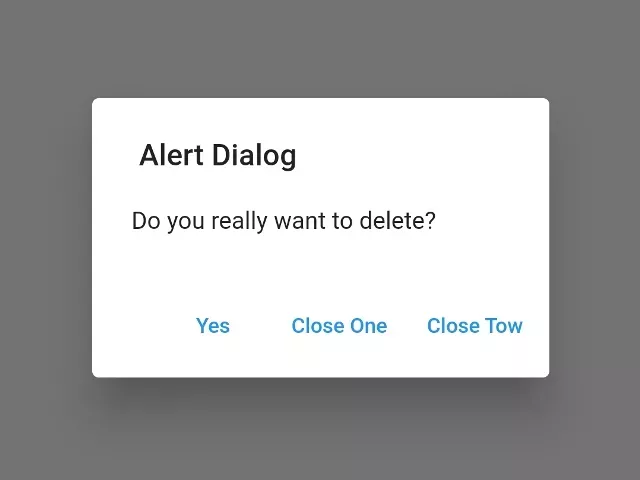
In this way, you can close showDialog from within a code block or from an external code block anywhere in the script in Flutter.