
How to Convert String to DateTime in Dart/Flutter
Restored from an archived snapshot captured 2021-11-28. Examples may refer to earlier Flutter versions.
In this example, we are going to show the easiest way to parse string or plain text to DateTime in Flutter/Dart. Date and time are very important components to any app development, therefore it is very crucial you should know how to convert string to DateTime.
How to Parse String to DateTime in Dart/Flutter:
DateTime.parse("2021-12-23 11:47:00");
//output: 2021-12-23 11:47:00.000
You can furthermore format this DateTime according to your pattern.
Accepted String Patterns:
"2012-02-27"
"2012-02-27 13:27:00"
"2012-02-27 13:27:00.123456789z"
"2012-02-27 13:27:00,123456789z"
"20120227 13:27:00"
"20120227T132700"
"20120227"
"+20120227"
"2012-02-27T14Z"
"2012-02-27T14+00:00"
"-123450101 00:00:00 Z": in the year -12345.
"2002-02-27T14:00:00-0500": Same as "2002-02-27T19:00:00Z"
These are the accepted string patterns on DateTime.parse(‘pattern’) method.
Flutter Code Example:
import 'package:flutter/material.dart';

void main() {
  runApp( MaterialApp(
       home: Home()
  ));
}

class Home extends  StatefulWidget {
  @override
  State<Home> createState() => _HomeState();
}

class _HomeState extends State<Home> {

  DateTime dt1 = DateTime.parse("2021-12-23 11:47:00");
  DateTime dt2 = DateTime.parse("2002-02-27T14:00:00-0500");


  @override
  Widget build(BuildContext context) {
    return Scaffold(
         appBar: AppBar(
            title: Text("Convert String to DateTime"),
            backgroundColor: Colors.redAccent,
         ),
          body: Container(
             alignment: Alignment.center,
             padding: EdgeInsets.all(20),
             child: Column(
               children:[

                   Text(dt1.toString()),
                   Text(dt2.toString())

                ]
             ),
          )
      );
  }
}
Output Screenshot:
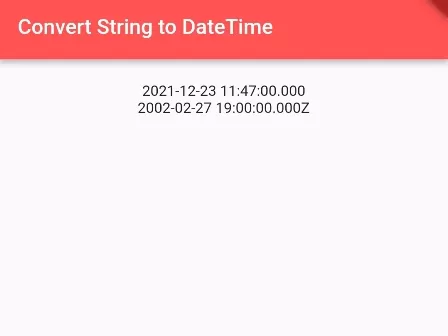
In this way, you can convert plain String text to DateTime in Flutter/Dart app.