
[Solved] OS Error: Connection refused, errno = 111 in Flutter
In this post, we are going to show you how to solve “Unhandled Exception: DioError [DioErrorType.other]: SocketException: OS Error: Connection refused, errno = 111, address = localhost, port = 51746” Error in Flutter App.
Error Message:
E/flutter (16776): [ERROR:flutter/lib/ui/ui_dart_state.cc(209)] Unhandled Exception: DioError [DioErrorType.other]: SocketException: OS Error: Connection refused, errno = 111, address = localhost, port = 51746
E/flutter (16776): Source stack:
E/flutter (16776): #0      DioMixin.fetch (package:dio/src/dio_mixin.dart:473:35)
E/flutter (16776): #1      DioMixin.request (package:dio/src/dio_mixin.dart:468:12)
E/flutter (16776): #2      DioMixin.get (package:dio/src/dio_mixin.dart:55:12)
Here, you can clearly see “address = localhost”, which means you are accessing the URL on localhost, but you are getting the error. See the examples below to solve this issue.
Cause of Error: Unreachable Domain or IP
The primary cause of this error is the unreachable domain or IP; please check the domain or IP from the local browser on your device where you are testing your app.
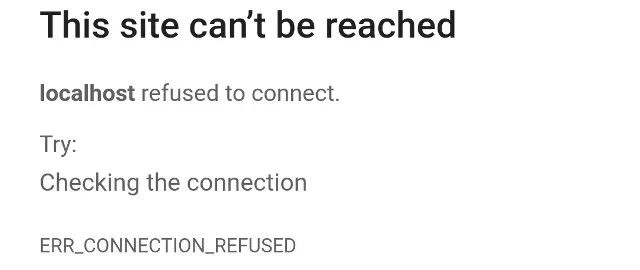
Here, “localhost” is not a domain name or has no DNS record; therefore, your emulator is not getting the actual IP address of the localhost server from the Mobile app or from the Emulator. For example, let’s try to access the address from the “Chrome” browser on Mobile/Emulator:
How to Solve this Error:
To solve this error, use a local IP address instead of “localhost” or a reachable domain name in your Flutter/Dart code, and also be careful if WAMP or XAMPP is running. For example:
Response response = await dio.get("../../../test/data.php");
//Connection refused error,
Change this to:
Response response = await dio.get("../../../test/data.php");
//use local IP or actual live URL
Here, we have used the local IP address of the local server, or you can also use the Live URL if the API is hosted on the live server.
And also be careful, here you are using “HTTP” instead of secure “HTTPS” protocol, you may get the error, see this link: How to Solve ’Insecure HTTP is not allowed by platform’ Error
How to get a Local IP Address:
For Windows Users:
ipconfig

//output:  IPv4 Address. . . . . . . . . . . : 192.168.0.235
For Linux Users:
ip afor Mac OS Users:
ipconfig getifaddr en1
//for wired connection

ipconfig getifaddr en0
//for wifi connection
In this way, you can solve the “Unhandled Exception: DioError [DioErrorType.other]: SocketException: OS Error: Connection refused” error for the localhost address in your Flutter App.