
How to override Back Button and Show Exit Confirm in Flutter App
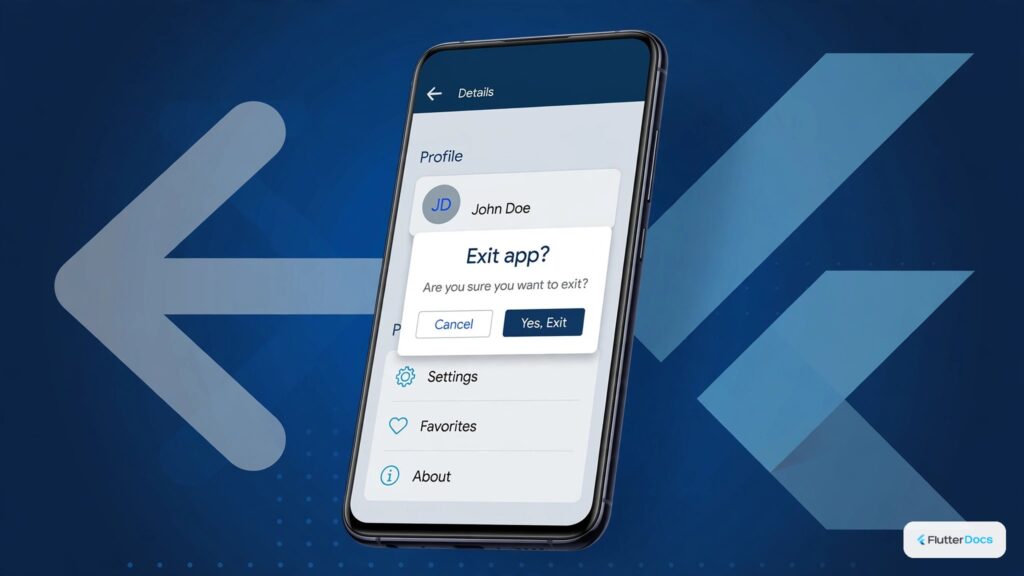
In this guide, we are going to show you the way to override the back button press and show exit confirmation dialogue. While you press the back button, Flutter generally pops the routes, and to listening such pops, there is a widget called WillPopScope(). See the example below to know the way to use WillPopScope() widget and listen to the back button press to override it.
Read this also: How to Make Double Press Back Button to Exit on Flutter App
To Override Back Button:
WillPopScope(
   onWillPop: false,
   child:Scaffold( )
)
Wrap the Scaffold() widget with WillPopScope(), and pass the boolean value to onWillPop property. If you pass true, the back button press will dismiss your route, and if you pass false, the back button will not have any use.
To Show Exit Confirm Dialogue on Back Button Press: Full Dart Code
import 'package:flutter/material.dart';

void main() {
  runApp(MyApp());
}

class MyApp extends StatelessWidget{
  @override
  Widget build(BuildContext context) {
    return MaterialApp(
        title: "Test App",
        home: HomePage(),
    );
  }
}

class HomePage extends StatelessWidget{
  @override
  Widget build(BuildContext context) {

    Future<bool> showExitPopup() async {
      return await showDialog( //show confirm dialogue
        //the return value will be from "Yes" or "No" options
        context: context,
        builder: (context) => AlertDialog(
          title: Text('Exit App'),
          content: Text('Do you want to exit an App?'),
          actions:[
            ElevatedButton(
              onPressed: () => Navigator.of(context).pop(false),
               //return false when click on "NO"
              child:Text('No'),
            ),

            ElevatedButton(
              onPressed: () => Navigator.of(context).pop(true),
              //return true when click on "Yes"
              child:Text('Yes'),
            ),

          ],
        ),
      )??false; //if showDialouge had returned null, then return false
    }

    return WillPopScope(
      onWillPop: showExitPopup, //call function on back button press
      child:Scaffold(
        appBar: AppBar(
          title: Text("Override Back Button"),
          backgroundColor: Colors.redAccent,
        ),
        body: Center(
          child: Text("Override Back Buttton"),
        )
      )
    );
  }
}
Output Screenshot:

In this way, you can override the back button press on device, or listen back button press and show exit confirmation dialogue. To manage confirmation popups effectively, review how to handle dismissing showDialog programmatically and preventing dialog dismiss on barrier touches.
Updated Flutter Example
Modern PopScope & Predictive Back Navigation Interception
Key Implementation Details & Modern Differences:
- Deprecation of WillPopScope: Flutter 3.12+ deprecated
WillPopScopebecause its synchronous boolean return prevented modern Android 14+ predictive back gestures and iOS swipe-to-back animations. - Modern PopScope Implementation: Uses
PopScope(canPop: !_hasUnsavedChanges, onPopInvokedWithResult: (didPop, result) async { ... })for non-blocking navigation gating. - Mounted Context Guarding: Checks
context.mountedbefore popping routes or displaying snackbars across asynchronous dialog results.
import 'package:flutter/material.dart';

void main() {
  runApp(const MaterialApp(home: ModernPopScopeDemo()));
}

class ModernPopScopeDemo extends StatefulWidget {
  const ModernPopScopeDemo({super.key});

  @override
  State<ModernPopScopeDemo> createState() => _ModernPopScopeDemoState();
}

class _ModernPopScopeDemoState extends State<ModernPopScopeDemo> {
  bool _hasUnsavedChanges = true;

  Future<bool> _showExitConfirmationDialog() async {
    final result = await showDialog<bool>(
      context: context,
      builder: (context) => AlertDialog(
        title: const Text('Discard Unsaved Changes?'),
        content: const Text(
          'You have unsaved changes. Are you sure you want to exit?',
        ),
        actions: [
          TextButton(
            onPressed: () => Navigator.of(context).pop(false),
            child: const Text('Stay'),
          ),
          FilledButton(
            onPressed: () => Navigator.of(context).pop(true),
            child: const Text('Discard & Exit'),
          ),
        ],
      ),
    );
    return result ?? false;
  }

  @override
  Widget build(BuildContext context) {
    // Modern PopScope replaces deprecated WillPopScope with predictive back support
    return PopScope(
      canPop: !_hasUnsavedChanges,
      onPopInvokedWithResult: (didPop, result) async {
        if (didPop) return;
        final shouldExit = await _showExitConfirmationDialog();
        if (shouldExit && context.mounted) {
          setState(() {
            _hasUnsavedChanges = false;
          });
          Navigator.of(context).pop();
        }
      },
      child: Scaffold(
        appBar: AppBar(title: const Text('Modern PopScope Exit Confirm')),
        body: Center(
          child: Padding(
            padding: const EdgeInsets.all(24.0),
            child: Column(
              mainAxisAlignment: MainAxisAlignment.center,
              children: [
                Icon(
                  _hasUnsavedChanges ? Icons.edit_note : Icons.check_circle,
                  size: 64,
                  color: _hasUnsavedChanges ? Colors.amber : Colors.green,
                ),
                const SizedBox(height: 16),
                Text(
                  _hasUnsavedChanges
                      ? 'Unsaved changes are active.'
                      : 'All changes saved.',
                  style: const TextStyle(fontSize: 16),
                ),
                const SizedBox(height: 24),
                ElevatedButton(
                  onPressed: () async {
                    final shouldExit = await _showExitConfirmationDialog();
                    if (shouldExit && context.mounted) {
                      ScaffoldMessenger.of(context).showSnackBar(
                        const SnackBar(content: Text('Exit confirmed')),
                      );
                    }
                  },
                  child: const Text('Trigger Exit Flow'),
                ),
              ],
            ),
          ),
        ),
      ),
    );
  }
}
Document History & Archival Record
Original reference snapshot archived April 1, 2023. Updated working solution verified on modern Flutter & Dart SDKs.