
Array List Basics – Dart/Flutter
Verified Solution
Tested on Flutter 3.47.7 • Dart 3.13.5
Jump to Updated Flutter Example ↓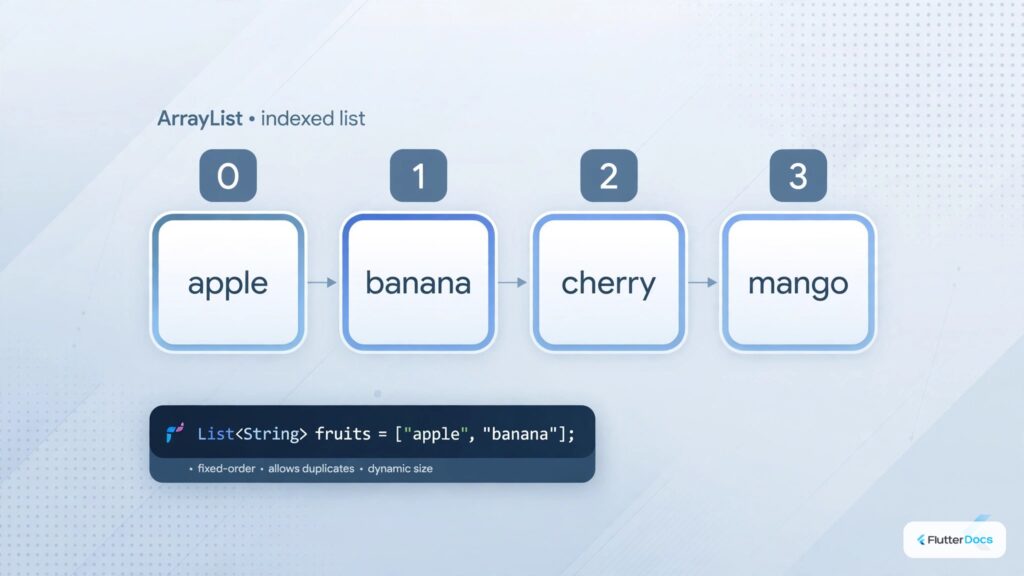
In this post, we are going to show you the array List basis of Dart/Flutter. In Dart, the array is called List. In this article, you will learn example-wise how to create and use Array in Dart or Flutter.
How to Create Array List in Dart/Flutter:
List<String> countries = ["Canada", "Brazil", "USA", "Japan", "China","UK", "Uganda", "Uruguay"];
//string array

List<int> numbers = [1, 5, 10, 44, 11, 33];
//integer array
How to Create Array List of Objects:
class Student{
   String name;
   int rollno;

   Student({required this.name, required this.rollno});
}
List<Student> students = [
Student(name: "John", rollno: 23),
Student(name: "Max", rollno: 10)
];How to Create Empty Array List:
List<String> citylist = [];How to Add New Element on Array List:
List<String> citylist = [];

citylist.add("New York"); //single
citylist.addAll(["Moscow", "London", "Sydney"]); //multiple at once

print(citylist); //[New York, Moscow, London, Sydney]
How to Remove Element from Array List:
List<String> countries = ["Canada", "Brazil", "USA", "Japan", "China","UK", "Uganda", "Uruguay"];

countries.removeWhere((str){
    return str == "Brazil";
}); //go through the loop and match content to delete from list
print(countries); //[Canada, USA, Japan, China, UK, Uganda, Uruguay]
Detailed Article: How to Add (Push) and Remove Item from List Array with Dart
How to Combine Two Array List:
List<String> asia = ["Nepal", "India", "Pakistan", "China", "Japan"];
List<String> europe = ["Germany", "France", "United Kingdom", "Spain"];

var list = new List.from(asia)..addAll(europe);
print(list);
//Output: [Nepal, India, Pakistan, China, Japan, Germany, France, United Kingdom, Spain]
See detailed article: How to Combine Two or More List Array in Dart/Flutter
How to Filter Array List:
List<String> countries = ["Canada", "Brazil", "USA", "Japan", "China","UK", "Uganda", "Uruguay"];

List<String> filter = [];
filter.addAll(countries);

filter.retainWhere((countryone){
    return countryone.toLowerCase().contains("U".toLowerCase());
    //you can add another filter conditions too
});
print(filter); //list of countries which contains 'U' on name
//output:  [USA, UK, Uganda, Uruguay]
Detailed Article: How to Filter List Array in Dart/Flutter
How to Sort List in Alphabetical Order:
List:
List<String> countries = [
    "Nepal",
    "India",
    "Pakistan",
    "Bangladesh",
    "USA",
    "Canada",
    "China",
    "Russia",
];
[Ascending Order]
countries.sort((a, b){ //sorting in ascending order
    return a.compareTo(b);
});
print(countries);
//output: [Bangladesh, Canada, China, India, Nepal, Pakistan, Russia, USA]
[Descending Order]
countries.sort((a, b){ //sorting in descending order
    return b.compareTo(a);
});
print(countries);
//output: [USA, Russia, Pakistan, Nepal, India, China, Canada, Bangladesh]
How to Make Array List Unique by Property Value:
List<String> countries = [
    "Nepal",
    "Nepal",
    "USA",
    "Canada",
    "Canada",
    "China",
    "Russia",
];

var seen = Set<String>();
List<String> uniquelist = countries.where((country) => seen.add(country)).toList();
print(uniquelist);
//output:  [Nepal, USA, Canada, China, Russia]
Loop Trough Array List:
List<String> countries = ["Canada", "Brazil", "USA", "Japan", "China","UK", "Uganda", "Uruguay"];

int x = 1;
countries.map((countryone){
   print("$x. $countryone");
   x++;
}).toList();

/*Output:
I/flutter ( 4268): 1. Canada
I/flutter ( 4268): 2. Brazil
I/flutter ( 4268): 3. USA
I/flutter ( 4268): 4. Japan
I/flutter ( 4268): 5. China
I/flutter ( 4268): 6. UK
I/flutter ( 4268): 7. Uganda
I/flutter ( 4268): 8. Uruguay
*/
In this way, you can work with an array list in Dart/Flutter. You can also explore how to shuffle list items or check if a value exists in an array list.
Updated Flutter Example
Updated Flutter Example
Dart 3 Modern Collection Operators, Records & Typed Lists
Key Implementation Details & Modern Differences:
- Sound Null Safety Types: Explicit distinction between nullable elements (
List) and non-nullable elements (List) enforced at compile time. - Safe Accessors: Dart 3 extension methods
.firstOrNull,.lastOrNull, and.singleOrNullprevent runtime crashes when lists are empty. - Immutability: Creating immutable snapshots via
List.unmodifiable(items)prevents accidental side-effect mutations in production state.
Updated Flutter Example Code
void main() {
  // 1. Strongly-typed, non-nullable Dart list
  final List<String> countries = ['Nepal', 'USA', 'Germany', 'Japan'];

  // 2. Safe access with Dart 3 firstOrNull (never throws Bad State on empty list)
  final emptyList = <String>[];
  print('First item: ${countries.firstOrNull}'); // Nepal
  print('Empty first item: ${emptyList.firstOrNull}'); // null

  // 3. Collection spread operator
  final moreCountries = ['Australia', 'Canada'];
  final combined = [...countries, ...moreCountries];
  print('Combined: $combined');

  // 4. Immutable snapshot
  final immutableCountries = List<String>.unmodifiable(combined);
  print('Immutable count: ${immutableCountries.length}');
}Document History & Archival Record
Original reference snapshot archived December 4, 2021. Updated working solution verified on modern Flutter & Dart SDKs.